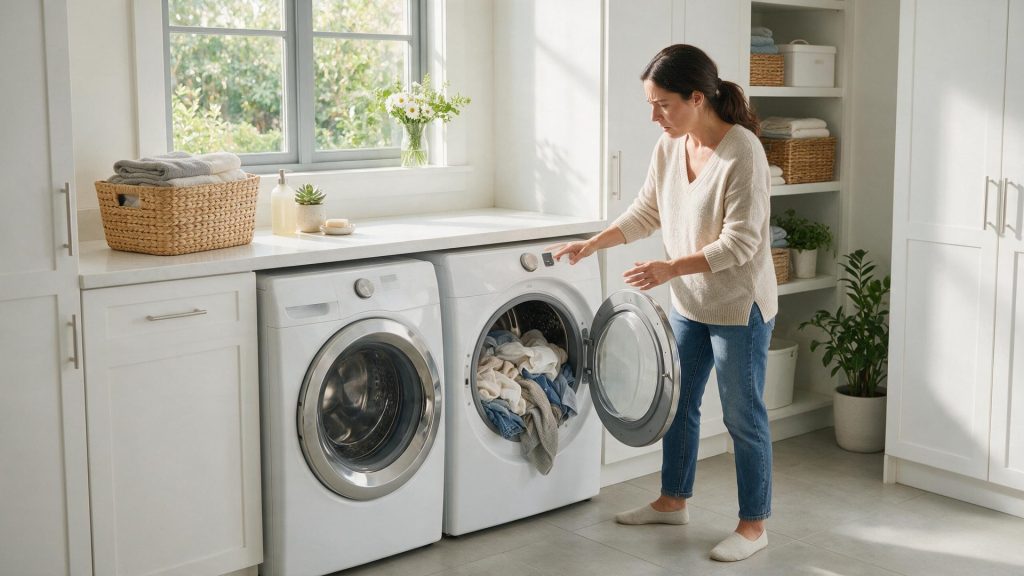

A dryer needs a clear exhaust path for hot, moist air. Cleaning the lint filter is essential, but a crushed transition duct, long vent run, blocked exterior termination, or hidden buildup can still increase drying time…
Dryer vent care keeps three things in order: how long a load takes, how hot the dryer runs, and how well it finishes. Cleaning the lint filter is only the first step; a sealed, kink-free, short exhaust run matters just as much, and Samsung suggests cleaning the exhaust vent once or twice a year even when a vent test passes. If airflow stays weak or the dryer overheats with a clear path outside, book a visit.
A dryer needs a clear exhaust path for hot, moist air. Cleaning the lint filter is essential, but a crushed transition duct, long vent run, blocked exterior termination, or hidden buildup can still increase drying time and operating temperature.
Samsung’s no-heat guidance lists several vent requirements: the duct should be sealed, should not be plastic or foil, must stay within the maximum length for the model, and must have no kinks. Each 90-degree turn reduces the maximum allowed length by 6 feet, which is why a vent with several elbows can restrict airflow even though it looks short. One Samsung setup page describes 4-inch rigid aluminum or galvanized duct, so check the installation section of your manual for what yours calls for.
Samsung dryers include electric and gas platforms with different heat systems but the same need for clear exhaust airflow. Separate heat production from airflow before concluding that a heater, burner, sensor, or control has failed.
A dryer that runs but does not heat, one that overheats, and one that stops after warming are different patterns. Record the pattern instead of only saying the dryer is ‘not drying.’
Do not defeat safety devices or keep running repeated high-heat loads to test a restricted vent. Airflow warnings should prompt vent-path verification.
Some Samsung dryers include a vent blockage test; Samsung notes that not all models have it. As described on its support page, the test runs with an empty, cool drum and a closed door, takes about two minutes, and then shows a result. A result of 0 or End means the vent is clear. CLg, Cg, C9, C80, or C90 point to a clog, with C80 and C90 roughly 80 and 90 percent blocked. Other results tell you the test could not run properly: dc means the door was open, C1 or CL1 means laundry was in the drum, and Ct means the room was below freezing or above 104 F.
A clear result does not mean the vent never needs cleaning, and a clog result does not say where along the run the blockage sits. Your manual has the exact button sequence for your model.
| Symptom | What it can point to | What you can safely check |
|---|---|---|
| Cycles take longer than they used to | Restricted exhaust path, or a lint filter that is packed | Clean the lint filter, then inspect the visible duct for crushing or kinks |
| Clothes are hot but still damp | Weak airflow carrying moisture out | Check the exterior termination and, on supported models, run the vent test |
| Heating or temperature code (for example HC, hE, tS, tE) | Samsung’s guidance links these to overheating or heat problems and says to clean the lint screen and vent | Clean the lint filter and vent, then retry |
If airflow remains weak or the dryer overheats despite a clear external path, the internal airflow/heating system should be inspected.
If the same symptom returns after correct routine care, move to diagnosis rather than stronger chemicals, repeated resets, or random parts.
Samsung’s temperature codes, which include tS, t5, tC, tO, tE, and tE3, all start with the same advice: clean the lint screen and the vent. If a code returns after that, the cause is likely beyond vent care, and repeated high-heat test loads only add stress. The same goes for HC, hE, and HC4, which Samsung describes as heating errors: the dryer overheating, or on electric models a heater that is not getting hot enough.
Write down:
– the complete Samsung model code, including a suffix such as `/US`, `/AA`, or `/A3` when the product label includes one;
– the appliance type and installation style;
– the exact symptom in one sentence;
– when it began;
– whether it is constant or intermittent;
– what related function still works normally;
– any displayed code, message, light pattern, or warning before reset;
– any recent power, water, gas, drain, venting, cleaning, filter, or installation event.
Leave built-in, stacked, laundry-hub, or tightly fitted appliances installed unless the service team specifically requests access. Moving an appliance without a plan can disturb flooring, cabinetry, anti-tip hardware, gas, water, drain, venting, or electrical connections.
For condos, high-rises, gated communities, and custom kitchens, include parking/loading, elevator, shutoff, and clearance information when booking.
Do not clear a useful diagnostic display before recording it. Do not replace a part because another Samsung owner reported the same symptom. Do not use a dishwasher code meaning for a washer or range because the characters look similar.
One controlled owner-level check is useful when it answers a question. Repeated resets or panel removal usually removes evidence instead of adding it.
For adjacent symptoms, read Samsung Dryer Repair Cost: Heat, Airflow, Motor, Sensor, or Control? and Samsung Dryer Making a Loud Noise: When a Rattle, Grind, or Scrape Means Stop.
One normal manual-approved restart can be useful after a temporary control interruption. Record the display first. If the same symptom returns, repeated resets are not a repair.
Usually no. A code narrows the system; it does not always identify one failed component.
No. Keep homeowner checks external and model-appropriate.
Samsung uses many appliance generations and regional/model suffixes. Exact model identity helps prevent the wrong code meaning, wrong procedure, or wrong part path.
Samsung suggests once or twice a year even when the vent test shows a clear result, and sooner if drying cycles get longer.
Samsung’s guidance says the vent should not be plastic or foil. Rigid metal duct, sealed at the joints and kept within the maximum length for the model, is what its pages describe.
It means the exhaust path was not restricted when the test ran. Heating, sensor, or control problems still need separate diagnosis.
Book your repair
Book a specialist visit for a clear estimate and approval before any repair.

One normal manual-approved restart can be useful after a temporary control interruption. Record the display first. If the same symptom returns, repeated resets are not a repair.
Usually no. A code narrows the system; it does not always identify one failed component.
No. Keep homeowner checks external and model-appropriate.
Samsung uses many appliance generations and regional/model suffixes. Exact model identity helps prevent the wrong code meaning, wrong procedure, or wrong part path.
Stable Samsung refrigerator performance depends on complete door closure, clear airflow, normal cabinet ventilation, clean owner-accessible areas, and reasonable loading. Small habits can reduce…
Front-load and top-load Samsung washers need different owner routines, but both benefit from correct detergent use, clean dispensers, normal drainage, and periodic model-appropriate cleaning…
Food debris in user-accessible filter/sump areas can reduce wash performance, contribute to odor, and complicate draining. Correct loading and clear spray paths give the…
Book your repair
Tell us the symptom, appliance and any code you see. We’ll use those details to start with a focused diagnostic path.
Share a few details and we’ll confirm an appointment. Prefer to talk? Call us and we’ll help right away.